


Jewelry Identifier Gem Scanner
4.4171.00 Reviews
App Specs
- Version
- 1.16
- Updated On
- License
- Free
- Downloads
- 100,000+
- Developer
- Identifier Studio
- Categories
- Business
- Platform
- Android
Screenshots
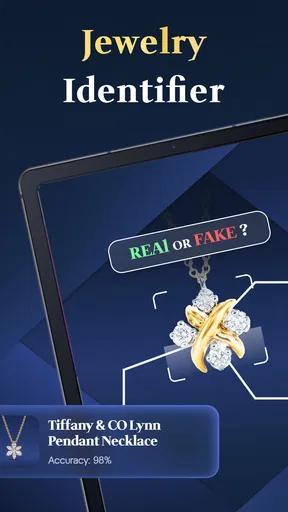
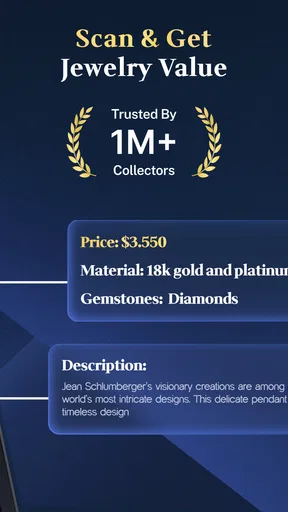
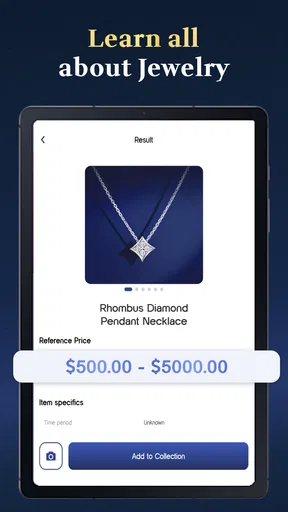
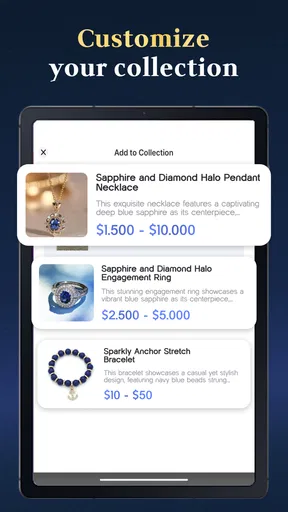
 Analysis by AppCompare
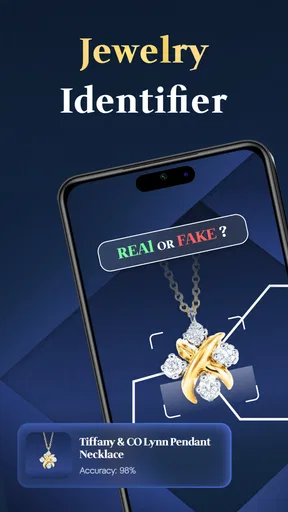
I approached Jewelry Identifier Gem Scanner as a practical helper for the first stage of understanding a piece of jewelry, not as a replacement for a jeweler, gemologist, or formal appraisal. That distinction matters. The app is designed for people who want to use a photo to explore jewelry and gemstones, and I found that its real value appears when it becomes part of a repeatable sorting routine rather than a one-time curiosity.
It belongs to the business category and comes from Identifier Studio. The app is free to install, carries an Everyone age rating, and has reached over one hundred thousand installs. Its average sits at 4.4 from around four thousand ratings, which gives it a reasonable level of visibility without making it something I would trust blindly for expensive decisions.
My main recommendation is simple: use it to organize questions and possibilities, then verify anything financially or emotionally important elsewhere. That makes it useful for inherited jewelry, flea-market finds, personal collections, insurance preparation, and early research before visiting a professional.
Where it fits before I open the camera
Before using the app, I would normally be stuck with a vague description: “a blue stone in a silver-colored ring” or “an old necklace with small clear gems.” That kind of note is not very helpful later, especially when several pieces look alike. A photo-based identifier gives me a more structured starting point, but only if I prepare the item properly.
I get better results by cleaning dust from the surface with a soft cloth, placing the piece on a plain background, and choosing a bright area without harsh reflections. I avoid photographing directly under a strong ceiling lamp because polished stones can throw bright spots across the image. Those spots may hide color, texture, or inclusions that are more useful than a dramatic-looking picture.
I also take more than one view when the piece deserves attention. A front image can show the stone, while a side view may reveal the setting, thickness, or whether the item contains several different materials. The app’s photo-centered approach is most helpful when the image gives it something clear to examine. A rushed snapshot through plastic, a dark jewelry box, or a distant group photo creates a weak foundation for any identification tool.
This preparation is not busywork. It changes how I think about the app. Instead of asking it to magically name an object, I use it to help turn an unorganized collection into a set of documented items. That is especially useful when I am sorting jewelry inherited from a relative and do not yet know which pieces need professional attention.
Worth Reading Before You Choose

Flipboard Shows What News Apps Must Do Beyond the Feed

Switching to Android Auto Means Rethinking Your Driving Routine

Google Calendar Makes a Crowded Week Easier to Manage

Ludo King Makes the Most of the Minutes Between Plans

Baby Panda World Brings Quick Play to Modern Phones, but Its Game Library Feels Busy

ESPN’s Live Game View Makes Following Close Games Easier
Turning scattered pieces into a manageable record
My preferred workflow starts with a small batch. I photograph one item, review the result, and write down what I already know: where it came from, whether it is sentimental, and whether there are visible marks or damage. I then move to the next piece. This prevents the common mistake of taking dozens of images and forgetting which result belongs to which ring or pendant.
For a collection, I would keep a simple naming habit outside the identification result itself, such as “blue ring,” “small gold pendant,” or “earring pair.” That makes later comparison easier. The app can help with the visual identification step, but a useful collection record also needs context that a photograph cannot provide.
One non-obvious benefit is that this process exposes uncertainty early. If two items receive different-looking possibilities because the photos are inconsistent, I know the next action is not to choose the more attractive answer. I retake the pictures under similar lighting and compare the objects again. In that sense, the app works best as a prompt for better observation.
I would not use a single result as proof of authenticity, metal purity, treatment, or market value. A visual scan can suggest what a stone resembles, but appearance alone cannot settle every question about origin or quality. For a valuable ring, the sensible workflow is to use the app to prepare notes and questions before taking the item to a qualified professional.
Capture with a purpose instead of collecting guesses
Jewelry Identifier Gem Scanner is particularly easy to misuse when the goal is entertainment. It is tempting to photograph an item, read a possible name, and immediately repeat the process with another piece. That can be fun, but it leaves behind a pile of unverified guesses. I get more practical value when every scan answers a specific question: what might this stone be, which pieces appear related, or which items deserve closer inspection?
For example, if I am sorting a box of mixed jewelry, I can separate pieces into three working groups: items that look ordinary and need no urgent action, items with uncertain materials, and items that are sentimental or potentially valuable. The app is most useful in the middle group. It helps me decide what information to gather before spending time or money on professional evaluation.
Another useful habit is to photograph the setting as well as the stone. A close crop of the gemstone may help with color and shape, but the surrounding jewelry can provide important visual context. I would capture a clear image of the whole item first, then a closer view if the stone is small. This also makes the record more understandable when I revisit it weeks later.
Because the app is free to install, it is accessible for occasional research without requiring an upfront purchase. There are in-app purchases ranging from $4.99 to $49.99 per item, so I would pay attention to the purchase screen and avoid assuming that every useful action is included at no cost. For casual users, the free entry point may be enough to test whether the workflow suits them. For frequent use, I would decide carefully whether paid options genuinely improve the task I need to complete.
A repeatable routine for collections and everyday decisions
The strongest way to use this app is as a small routine. I would set aside a short session, prepare a clean surface, photograph only a manageable number of items, and record the results immediately. The point is not speed. The point is leaving the session with fewer unknowns and clearer next steps.
For an inherited collection, I would begin with the pieces that have the least documentation. I would photograph each one, note visible hallmarks or damage in my own records, and mark any result that seems uncertain. I would then group similar-looking items together without assuming they are made from the same materials. That last step is important because matching appearance does not guarantee matching composition.
For a secondhand purchase, I would use the app before negotiating or making a claim about value, but I would keep my language cautious. “The image resembles this type of gemstone” is a responsible conclusion. “This proves the ring is genuine and worth a certain amount” is not. The app can support research, not replace evidence.
For personal organization, I would repeat the same photography conditions each time. A consistent background and similar lighting make later comparisons more meaningful. I would also keep the original images rather than saving only the identification label. If I later consult a jeweler, the original views may help explain why I had questions in the first place.
This routine also helps with sentimental pieces. When an item belonged to someone in the family, the goal may not be resale at all. A visual identification can give me vocabulary for researching its style or stone, while the photographs create a basic record for relatives. In that situation, the app is valuable even if the final identification remains tentative.
What can go wrong during scanning
The largest weakness is shared by nearly every image-based identification tool: the result depends heavily on the input. Transparent stones, reflective metal, tiny settings, unusual cuts, and poor lighting can all make a photograph less informative. A confident-looking label may still be only a visual approximation.
Color is another trap. A warm indoor bulb can make a pale stone look yellow, while a cool phone camera setting can push a blue stone toward a different shade. I would not compare results from unrelated lighting and treat the difference as evidence that the jewelry changed or that one scan is automatically more accurate.
Cluttered images create a second problem. If several pieces overlap, the app may not have a clear subject to examine. I prefer one item at a time, especially when the pieces contain small stones. This takes longer, but it produces a cleaner record and avoids confusing one object with another.
There is also a human failure point: confirmation bias. If I hope an inherited stone is rare, I may focus on the most valuable-sounding possibility and ignore the uncertainty around it. I try to read the result as a lead, not a verdict. When the financial stakes are high, an independent appraisal or gemological examination is the better option.
The app is also not the right choice when I need laboratory-level certainty, a formal valuation, documentation for a legal or insurance process, or a definitive authenticity judgment. A jeweler can inspect details that a phone image cannot capture, including construction, wear, setting quality, and physical properties. The app may help me prepare for that appointment, but it should not be mistaken for the appointment itself.
How it compares with the usual alternatives
The usual alternative is a web search based on a description or a photograph. That approach can be useful when I already know the relevant terminology, but it often produces a long list of visually similar stones and jewelry styles. Jewelry Identifier Gem Scanner is more direct for the first pass because it starts with the image rather than requiring me to invent the right search words.
Manual comparison with gemstone books or specialist websites remains better when I want to learn why two stones differ. Those resources can explain hardness, treatments, optical effects, and common imitations in greater depth. The app is quicker, while a reference source is often stronger for education and careful verification.
A jeweler or gemologist is the clear choice for expensive or important pieces. That route costs time and may involve a fee, but it provides human inspection and professional judgment. My practical comparison is therefore not “app versus expert.” It is “app before expert” when I need help deciding what to ask, which pieces to bring, and how to describe what I have found.
Compared with doing nothing, the app has a meaningful advantage: it encourages documentation. Even a tentative result can help me label photographs, separate objects, and notice which questions remain unresolved. That organizational benefit is more dependable than treating every suggested identification as final.
Who should adopt it, and who should skip it
I think the app suits curious owners, collectors at the early sorting stage, people cataloging inherited jewelry, and shoppers who want vocabulary for further research. It is also a reasonable tool for someone who enjoys learning by photographing objects and comparing visual possibilities. The Everyone rating makes it approachable for a broad audience, although younger users should still understand that visual suggestions are not financial guarantees.
I would be more cautious recommending it to someone who wants an instant answer about a costly diamond, a suspected antique, or a piece being sold on the basis of authenticity. In those cases, the app may create false confidence. A professional inspection is the better first choice, with the app used only as a note-taking and preparation aid if desired.
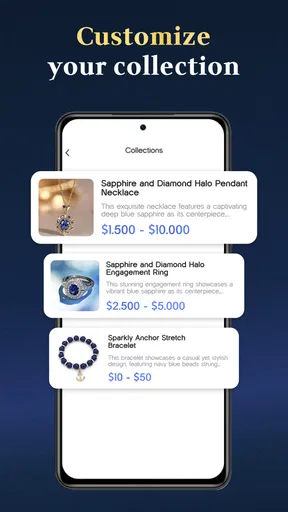
It may also disappoint users who expect a complete inventory system. Its central appeal is photo-based jewelry and gemstone identification, not replacing a dedicated collection-management process. If I need detailed ownership records, purchase documentation, insurance fields, or a long-term valuation history, I would maintain those separately and use the app as one part of that system.
The current version is 1.16, and the app was released on March 13, 2025. Those details make it a relatively recent option for this kind of mobile research, but I still judge it by the quality of my workflow rather than by version numbers. A newer release does not remove the need for clear photos or professional verification.
My final take after building a routine around it
I like Jewelry Identifier Gem Scanner most when I treat it as a first-pass research companion. It helps me move from “I have no idea what this is” to “I have a few possibilities, better photographs, and a clear list of questions.” That is a useful change, especially when a collection is disorganized or when I am preparing for a jeweler visit.
The free installation makes experimentation easy, while the paid items mean I would review each purchase carefully before committing. The app’s rating of 4.4 and its audience of over one hundred thousand installs suggest that many people find the concept worthwhile, but popularity does not change the limits of image-based identification.
My advice is to photograph deliberately, keep the original images, record the story behind each piece, and separate “possible match” from “confirmed fact.” Used that way, the app becomes part of a sustainable productivity system for jewelry research instead of a stream of disconnected guesses. If you want a quick starting point and understand its boundaries, I would recommend trying it. If you need a formal answer about value or authenticity, I would skip relying on it alone and go straight to a qualified professional.
Pros
- Quickly identifies common gemstones from a phone photo.
- Useful reference for learning basic gem characteristics.
- Simple interface suitable for casual users.
- Can help organize preliminary checks before visiting a jeweler.
- Convenient for comparing stones without carrying reference books.
Cons
- Photo results can be inaccurate with poor lighting or blurry images.
- May struggle with unusual
- synthetic
- treated
- or mounted stones.
- Should not replace a certified appraisal for valuable jewelry.
- Some features or identifications may require in-app purchases.
- Results may vary depending on camera quality and image angle.
FAQs for Jewelry Identifier Gem Scanner
What is Jewelry Identifier Gem Scanner used for?
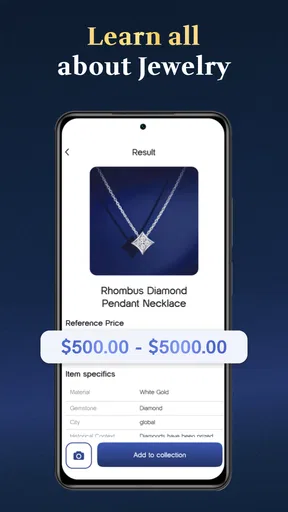
Jewelry Identifier Gem Scanner is designed to help users learn more about jewelry, gemstones, and precious-metal pieces through image-based analysis and reference information. You can photograph or upload an item and review suggested details about its appearance, gem type, cut, color, or setting. It is best treated as an educational tool and a convenient first step, not as a certified appraisal service.
Can Jewelry Identifier Gem Scanner accurately identify diamonds or gemstones?
The app may provide a useful visual estimate based on the photograph, but its results should not be considered definitive. Lighting, camera quality, reflections, dirt, gemstone treatments, and the way a piece is mounted can all affect recognition. A professional gemologist, jeweler, or certified laboratory is still necessary when you need reliable identification, grading, insurance documentation, or confirmation of authenticity.
How should I take a photo for the best scanning results?
For better results, clean the jewelry gently, place it on a plain background, and use bright, even lighting without strong reflections. Keep the camera steady and capture several angles, including close-ups of the stone, setting, hallmark, and metal details. Avoid blurry images, heavy filters, colored lighting, and photographs where the gemstone is partly hidden by fingers or packaging.
Can the app determine the value or authenticity of my jewelry?
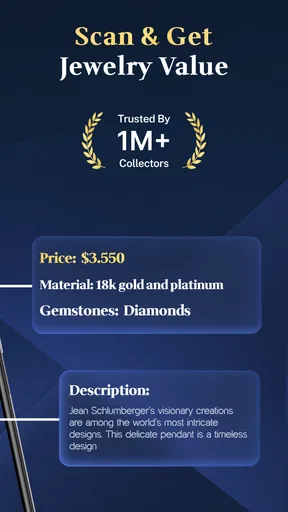
Jewelry Identifier Gem Scanner may offer general information or an approximate indication based on visible characteristics, but it cannot reliably establish market value or prove that an item is genuine. Price depends on factors such as carat weight, quality, provenance, condition, brand, craftsmanship, and current market demand. For selling, buying, insurance, or inheritance purposes, obtain an independent professional appraisal.
Is Jewelry Identifier Gem Scanner free to download and use?
The app may be available to download at no initial cost, but some identification tools, detailed results, advanced scans, or additional reference features can require in-app purchases or a subscription, depending on the version and platform. Before starting a trial, check the store listing and subscription screen carefully, including renewal terms, cancellation instructions, and any limitations on free scans.


